Section Bootstrap สามารถเพิ่ม Product FlashSale Element ได้แล้ว

Section Bootstrap สามารถเพิ่ม Product FlashSale Element ได้แล้ว

K
KetShopWeb Team
2024-11-05 12:33:16
Section Bootstrap สามารถเพิ่ม Product FlashSale Element ได้แล้ว

การเพิ่ม Product Flash Sale Element 

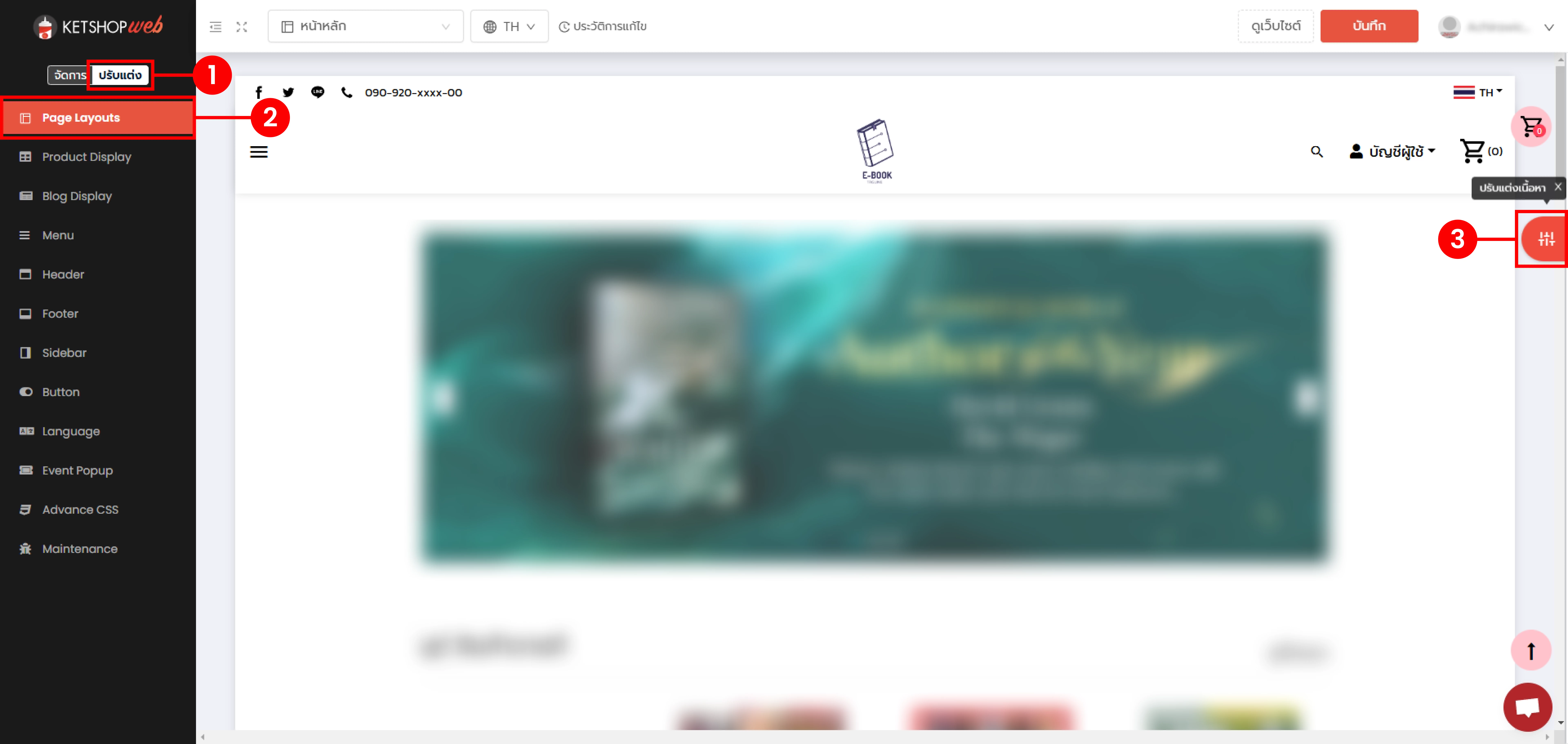
(ตำแหน่งที่ 1) คลิก "ปรับแต่ง"

(ตำแหน่งที่ 2) เลือกเมนู "Page Layouts"

(ตำแหน่งที่ 3) คลิก "ปรับแต่งเนื้อหา"

Section Bootstrap สามารถเพิ่ม Product FlashSale Element ได้แล้ว


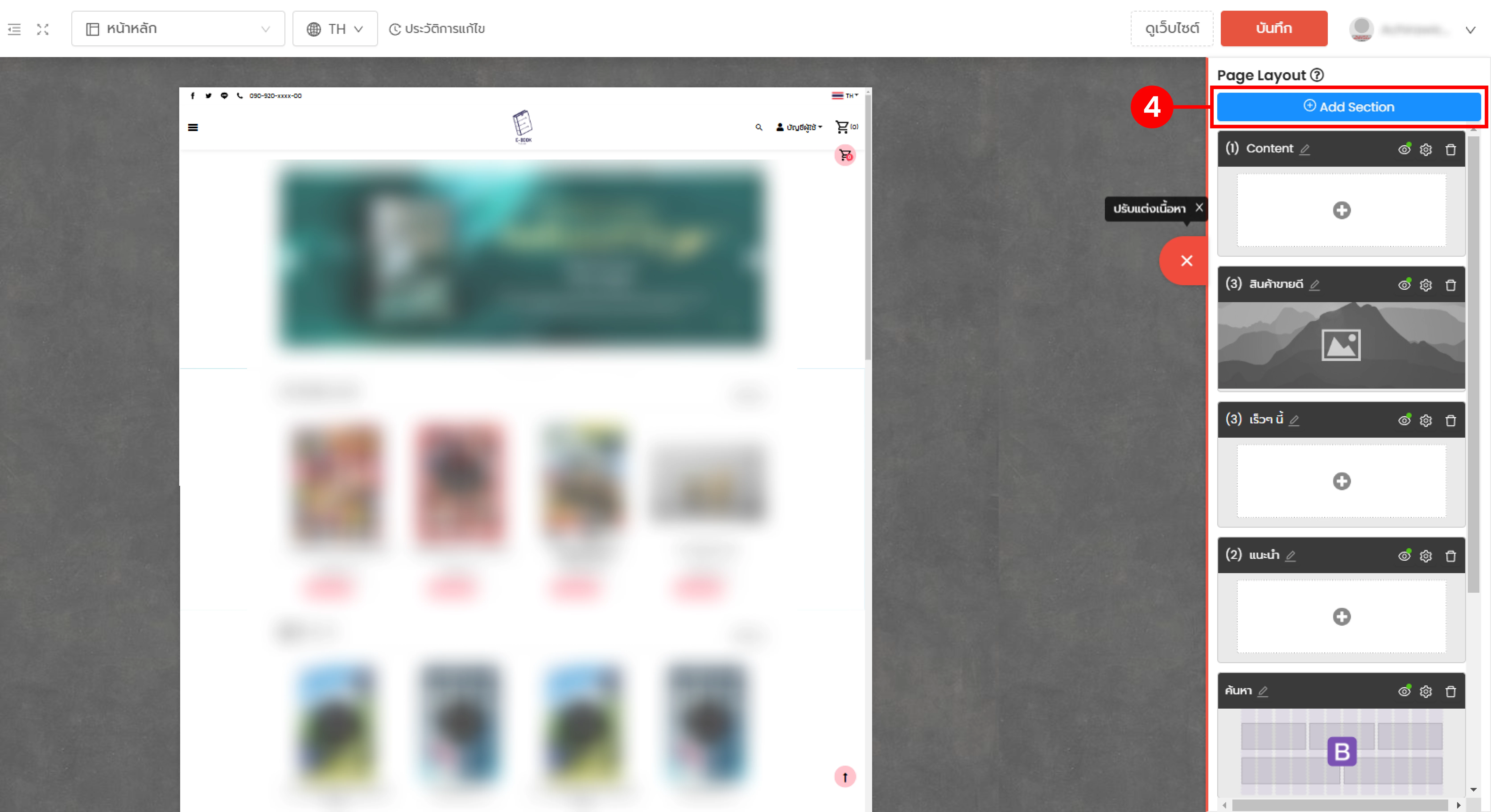
(ตำแหน่งที่ 4) คลิก "Add Section"


Section Bootstrap สามารถเพิ่ม Product FlashSale Element ได้แล้ว


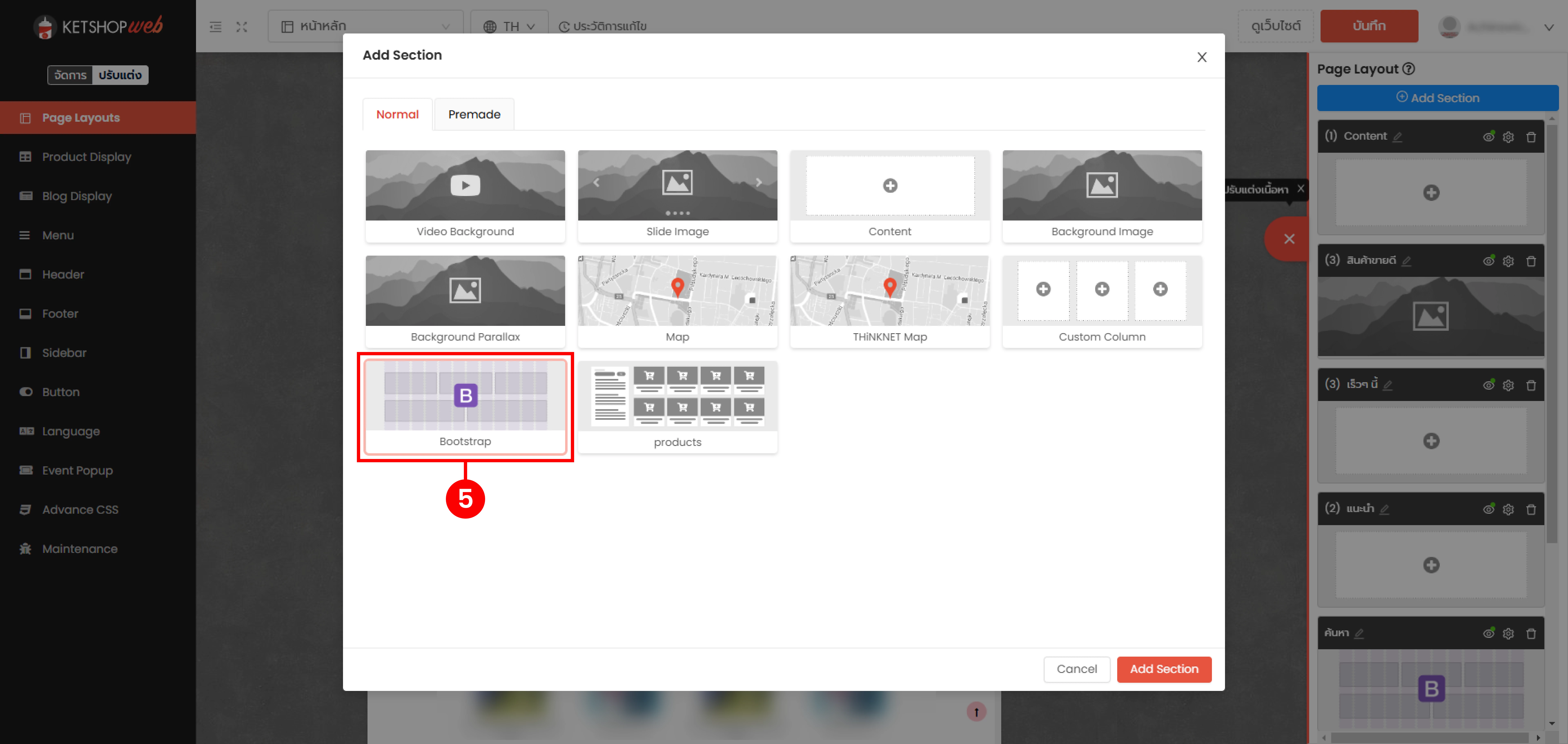
(ตำแหน่งที่ 5) เลือก "Bootstrap" จากนั้น คลิก "Add Section"

Section Bootstrap สามารถเพิ่ม Product FlashSale Element ได้แล้ว


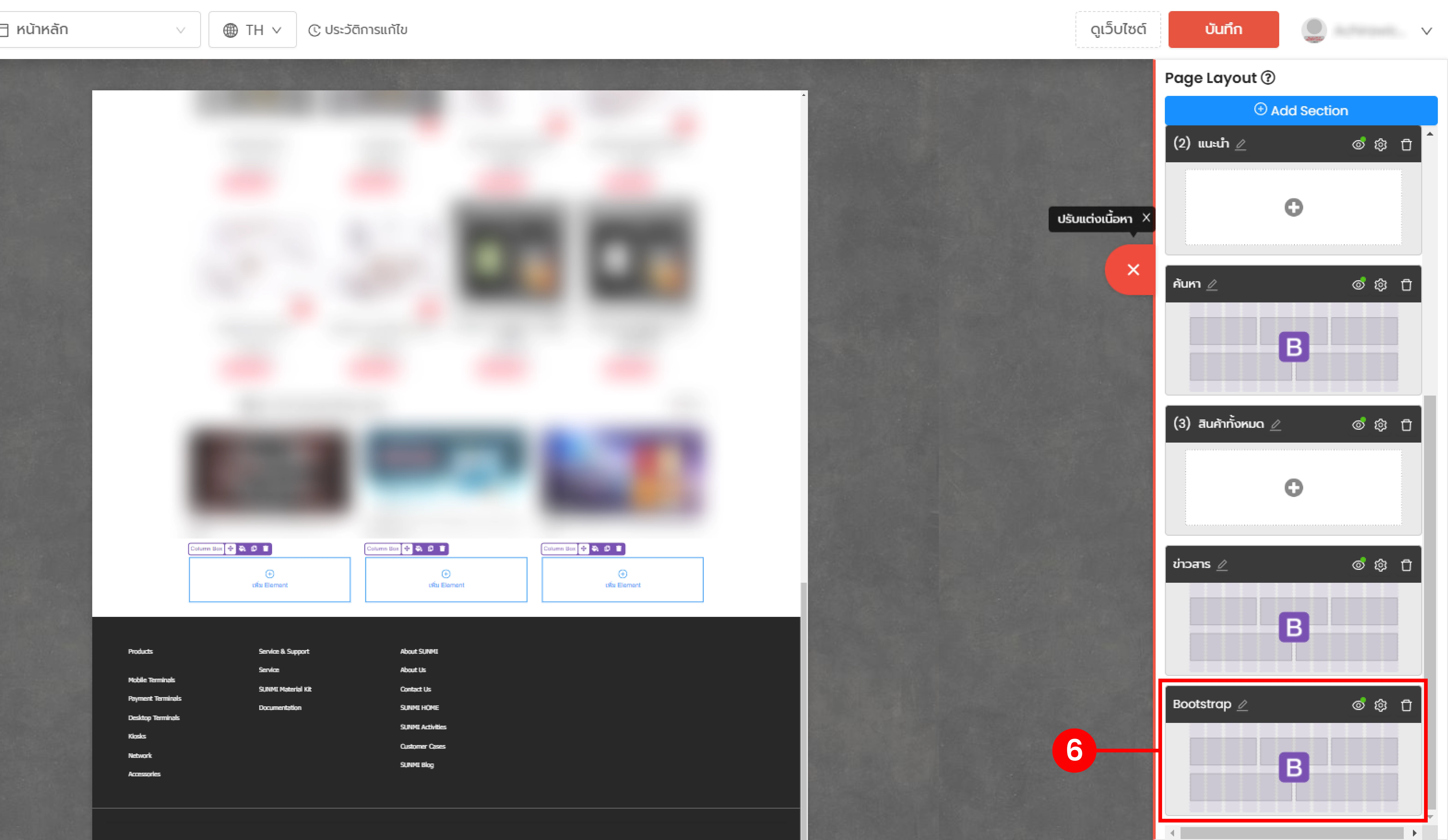
(ตำแหน่งที่ 6) Section ที่เพิ่มเข้ามาจะอยู่ล่างสุดของใน Page Layout

Section Bootstrap สามารถเพิ่ม Product FlashSale Element ได้แล้ว
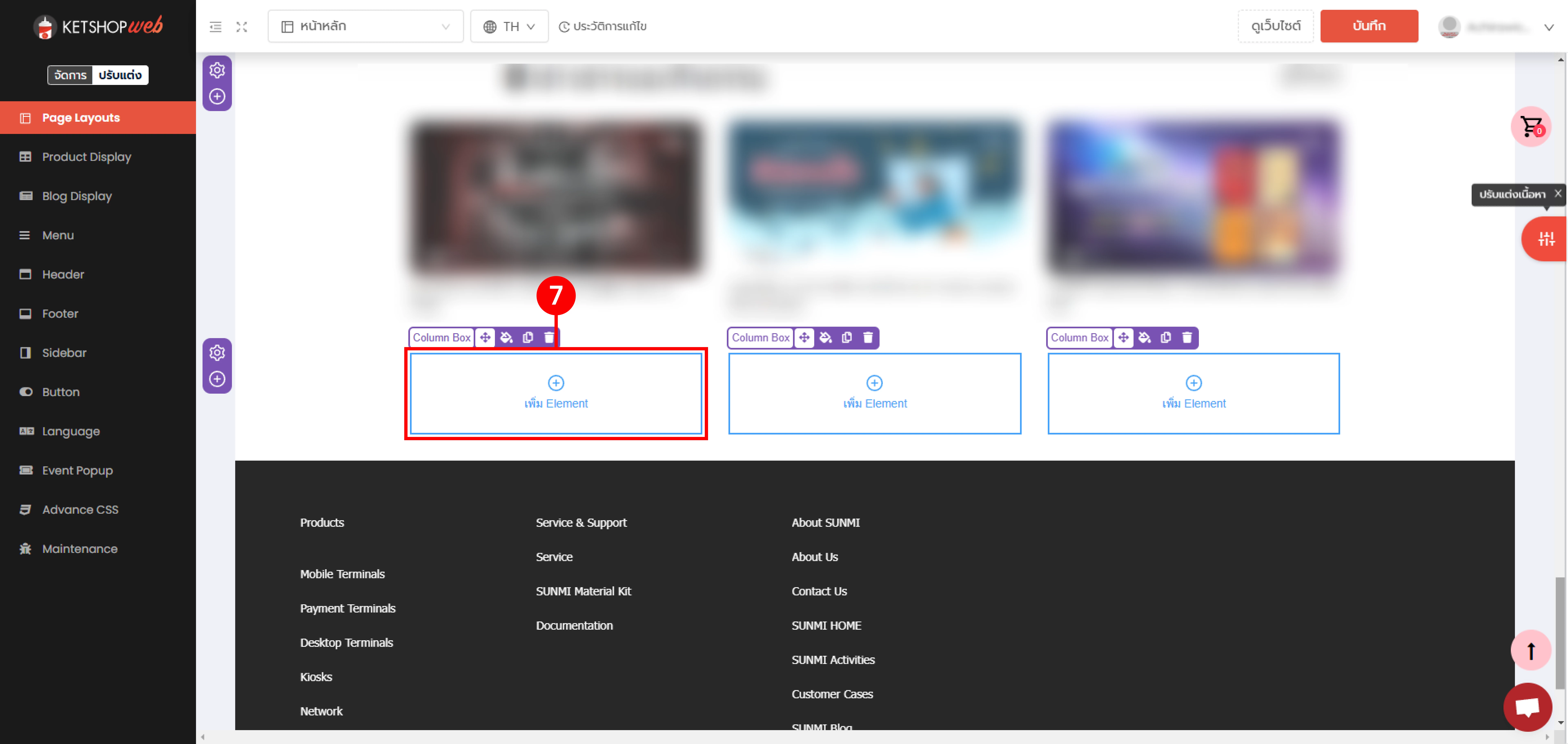
(ตำแหน่งที่ 7) คลิก "เพิ่ม Element"


Section Bootstrap สามารถเพิ่ม Product FlashSale Element ได้แล้ว


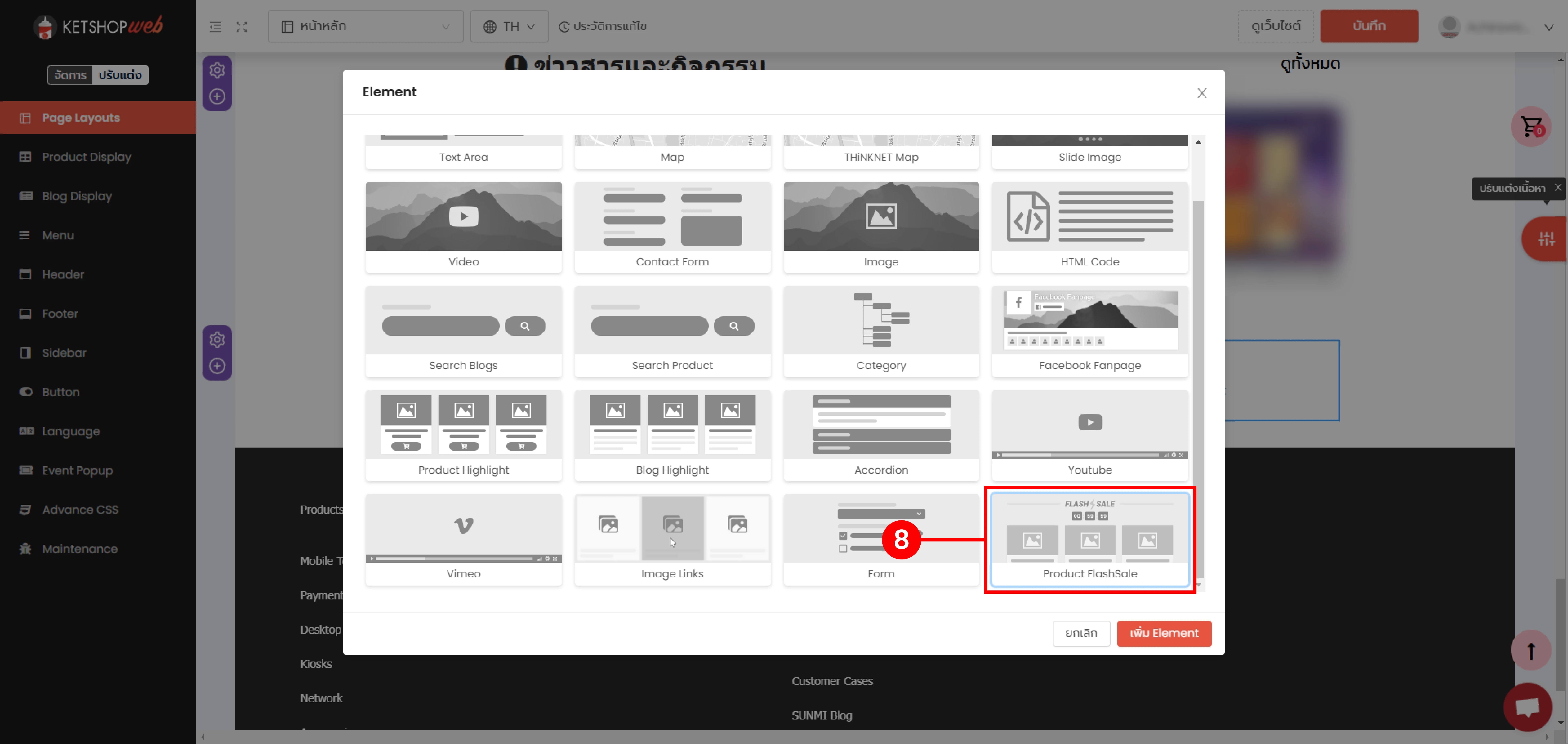
(ตำแหน่งที่ 8) เลือก "Product Flash Sale Element "

>>>การใช้งาน Product Flash Sale Element<<<

Section Bootstrap สามารถเพิ่ม Product FlashSale Element ได้แล้ว


Ketshopweb | เครื่องมือร้านค้าออนไลน์ ขายคล่อง ส่งสะดวก ครบในที่เดียว

http://www.ketshopweb.com

เรายินดีให้คำปรึกษาการทำเว็บไซต์ฟรี ไม่มีค่าใช้จ่าย

ติดต่อมาที่ 02-038-5588 , email : sales@ketshopweb.com

แชร์: